GeminiにさらなるアプリやサービスをConnectできるようになりましたNow you can connect even more of your favorite apps and services to Gemini.
匿名の公開いいねです。記事の保存・お気に入りではなく、Featured、Top 3、重要度、掲載順位には影響しません。仕組みとプライバシーAnonymous public likes are reactions, not saved articles or bookmarks. They do not affect Featured, Top 3, importance, or listing order.How it works and privacy
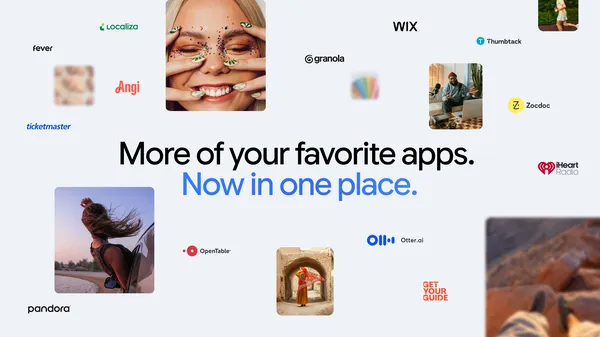
Googleは、旅行計画やプロジェクト管理、日々のタスク処理を支援するため、Geminiと連携できるアプリ・サービスの種類を拡充した。
Google has expanded the range of third-party apps and services that can be connected to Gemini, enabling users to plan trips, manage projects, and handle daily tasks more seamlessly.
本ページの本文と要約は AI による自動生成です。日本語版と英語版は言語ごとに独立して生成されるため、表現や詳しさが異なる場合があります。正確性は元記事 (blog.google) をご確認ください。The body and summaries are AI-generated independently for each language, so wording and detail may differ. Verify accuracy at the original source (blog.google).
要約と収集メタデータに基づく AI 解説。元記事全文の転載・翻訳ではありません。AI explainer based on the summaries and collected metadata, not a copy or translation of the full source article.
Googleは、対話型AIアシスタント「Gemini」に接続できる外部アプリやサービスの種類を拡充したと発表した。旅行の計画やプロジェクト管理、日々のToDo処理といった作業を、複数のツールを行き来せずにGeminiの対話上から進めやすくする狙いがあると見られる。
今回の拡充は、利用者が普段使うサービスをGeminiに直接つなぐ「連携アプリ」の考え方を広げるものだ。お気に入りのサービスを接続しておくことで、AIがそれらの情報を踏まえて回答したり、アシスタント経由で関連する操作を呼び出したりしやすくなる。たとえば旅行の計画では、複数のサービスにまたがる情報を一度の対話でまとめて扱える可能性がある。
背景には、生成AIを単なる文章作成の道具から、実際のタスクをこなす存在へと進化させようとする流れがある。回答を生成するだけでなく、外部のデータやアプリと結び付けることで、AIの実用性を高めようとするアプローチだ。連携できるサービスが増えるほど、Geminiを日常のワークフローの中心に据えやすくなる。
こうした外部連携の強化は、Google単独の動きではない。OpenAIはChatGPTで外部ツールとの接続機能を提供してきたほか、Microsoftも自社のCopilotを各種業務アプリと結び付けている。主要各社がAIアシスタントを実務に組み込む競争を続けており、対応するサービスの幅広さが利用者にとっての選択基準の一つになりつつある。
一方で、外部サービスとの連携ではアカウントの接続や権限の付与が前提となるため、どのデータがAIから参照されるのかといったプライバシーや権限管理の観点も重要になる。利用可能なサービスの範囲や必要な設定は今後の展開によって変わる可能性があり、実際に使える機能は利用環境によって異なると見られる。
Googleは今回の拡充を通じて、Geminiを情報収集から実務の遂行までを一つの窓口でこなせるアシスタントとして位置づけたい考えとみられる。ユーザーは自分がよく使うサービスを接続することで、より一貫した形でAIの支援を受けられるようになりそうだ。
Google has broadened the set of third-party apps and services that users can link to Gemini, its AI assistant, giving the tool access to more of the products people already rely on for travel, work, and everyday organization. Announced on Google's Keyword blog, the update positions Gemini less as a standalone chatbot and more as a hub that can act across the services in a user's digital life, which matters because the practical usefulness of an AI assistant increasingly depends on how well it plugs into the tools people use every day.
According to the company's framing, the expanded connections are meant to help people plan trips, manage projects, and tackle their daily to-do lists by letting them connect favorite services directly to Gemini. Rather than requiring users to switch between apps and manually copy information back and forth, the assistant can draw on connected services when prompted in natural language. It is a familiar pitch for conversational AI: reduce friction and let a single interface coordinate tasks that would otherwise be spread across multiple screens and accounts.
The connected apps model generally works by letting users grant Gemini permission to interact with specific services on their behalf. Once a service is linked, the assistant can retrieve relevant information or carry out supported actions in response to a request, so a user might ask Gemini to summarize the state of a project, surface details tied to an upcoming trip, or pull together items from a task list. The scope of what each connection can do typically depends on the individual service and the permissions the user has approved, and access can usually be reviewed or revoked from account settings. Google has not, in this announcement, framed the change as a new product so much as an expansion of an existing capability.
This builds on a direction Google has been pursuing for some time. Gemini, which evolved from the assistant formerly branded as Bard, has steadily added the ability to reach into Google's own ecosystem, including Workspace apps such as Gmail, Docs, and Drive, along with services like Maps, Flights, and YouTube. Extending the same approach to a wider range of outside apps is a logical continuation of that strategy, and it echoes the way Google Assistant once relied on integrations to expand what it could do. The emphasis on trip planning, project management, and daily tasks suggests the company is targeting concrete productivity workflows rather than open-ended experimentation.
The move also fits a broader industry pattern. Rival assistants have pursued similar integration strategies: OpenAI introduced plugins and later custom GPTs to let ChatGPT work with external services, while Anthropic has promoted the Model Context Protocol as a standardized way to connect AI models to data sources and tools. Across these efforts, the shared assumption appears to be that large language models become substantially more valuable when they can act on live, personal, or organizational data rather than responding only from their training. Deeper connections are widely seen as a route toward assistants that can complete multi-step tasks instead of merely answering questions.
With that added reach come the usual considerations around data access and privacy. Connecting more services means granting an AI system visibility into more of a user's information, which places weight on clear consent flows, transparency about what each integration can see and do, and straightforward controls for managing or removing connections. Google has generally described such features as permission-based, though users evaluating them will likely want to understand exactly what data is shared and how it is handled. As with any automated agent acting across accounts, reviewing what an assistant is authorized to do is a sensible precaution.
For everyday users, the immediate takeaway is that Gemini is intended to sit closer to the center of common workflows, coordinating trips, projects, and to-do lists from a single conversational entry point. The real test will be how reliably these connections perform in practice, how many services are supported, and whether the experience meaningfully reduces the app-switching it aims to replace. Availability and the specific catalog of supported apps may vary, so users interested in a particular service will want to check whether it is currently among the options they can connect.
ポコとTECHガイドPoko & TECH Guide
ポコと当サイトのTECHガイドが、記事の要約と収集した情報から読みどころを語るAI生成の対話です。Poko and TECH Dashboard's own TECH Guide discuss the article's highlights in an AI-generated conversation based on its summary and collected source details.
- ポコPokoGeminiにアプリやサービスを「Connect」するって、つまりどういうこと?What does it actually mean to “connect” apps and services to Gemini?
- TECHガイドTECH Guide簡単に言うと、普段使うサービスをGeminiと連携させることじゃな。記事によれば、連携できる種類が増えたそうじゃよ。Simply put, it means linking services you use with Gemini. According to the article, Google has expanded the range of apps and services you can connect.
- ポコPokoへえ、それって何が嬉しいの?連携すると何を手伝ってもらえるのかな。Oh, nice! What’s the benefit, though? What can Gemini help with once they’re connected?
- TECHガイドTECH Guide記事では、旅行の計画やプロジェクト管理、毎日のタスク処理を、よりスムーズに進められるとしておるぞ。The article says it can make planning trips, managing projects, and handling everyday tasks more seamless.
- ポコPokoつまり、使うサービスをGeminiにつないで、いろいろな用事をまとめて進めやすくするんだね!So connecting your services to Gemini could make it easier to get different kinds of tasks done in one flow!
- TECHガイドTECH Guideその理解でよいぞ。今後は、旅行や仕事、日々の用事で連携がどれほどスムーズに役立つかが見どころじゃな。Exactly. The key thing to watch is how smoothly these connections help with travel, projects, and everyday to-dos.