GitHub Copilot アプリが全ユーザーに提供開始 GitHub Copilot app available to all
- GitHub Copilot の専用アプリが招待や特定プランを問わずすべてのユーザーに正式公開された。
- IDE 外からも AI によるコーディング支援を受けられる環境が整い、開発者の利便性が大きく向上する。
English summary
- The GitHub Copilot app is now generally available to all users, ending the limited-access phase and letting any developer leverage AI coding assistance through a dedicated standalone application.
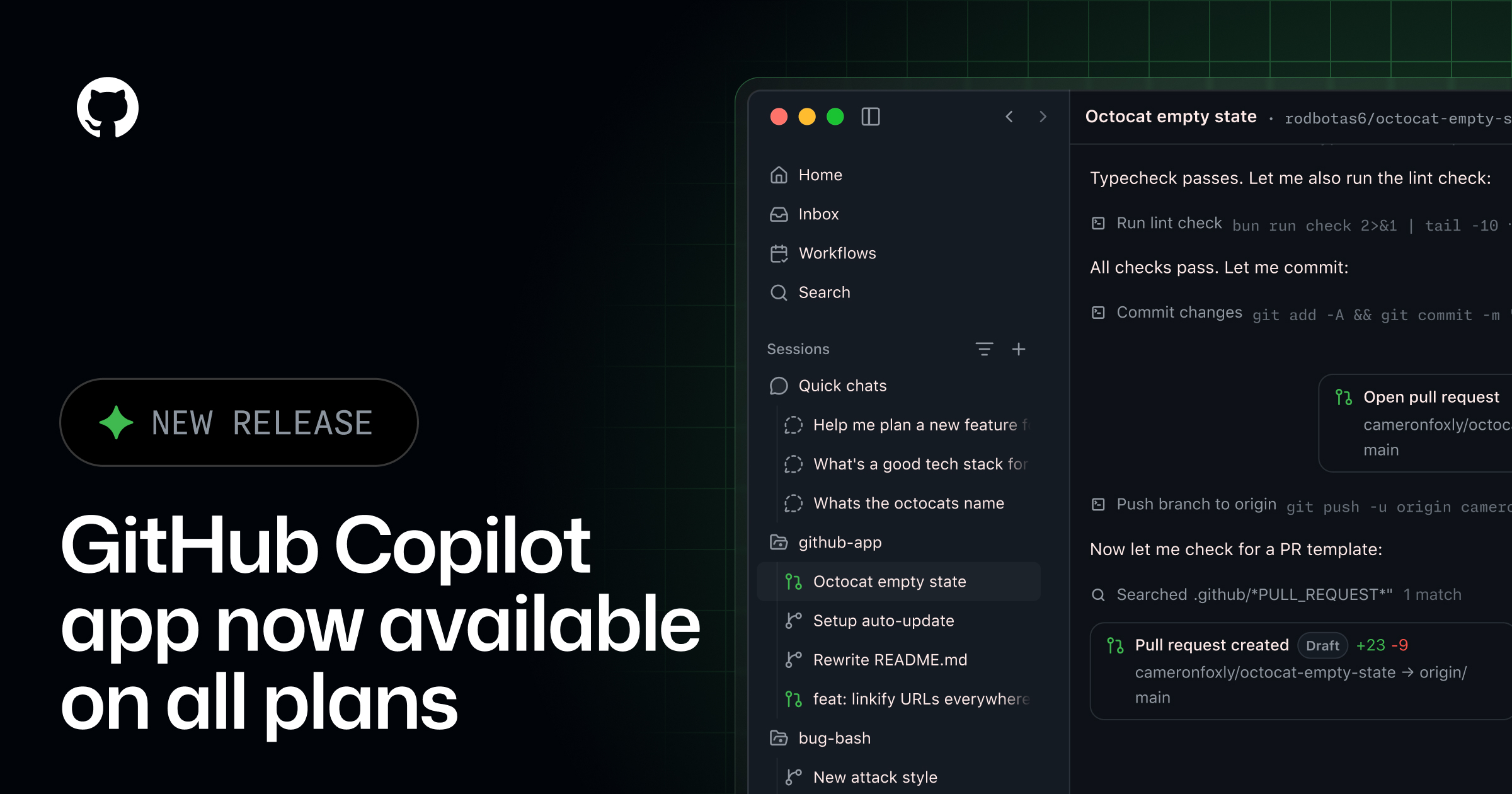
GitHub は、これまで招待制や特定プラン限定で提供してきた「GitHub Copilot アプリ」を、すべてのユーザーに向けて正式公開(一般提供、GA)したと発表した。IDE を起動しなくても AI によるコーディング支援を受けられる独立したアプリで、開発者は日常的な作業のさまざまな場面で Copilot を活用しやすくなる。
Copilot はもともと、Visual Studio Code や JetBrains 系 IDE などのエディタに組み込むプラグインとして普及してきた。今回のスタンドアロンアプリは、こうしたエディタ統合とは別に、単体で動くクライアントとして提供される点が特徴だ。コードの断片について質問したり、設計方針を相談したり、ドキュメントを下書きしたりといった作業を、エディタの外からでも行えるようになると見られる。
背景には、AI コーディング支援の利用場面が「コード補完」から「対話的な開発全般」へと広がっている状況がある。GitHub は近年、チャット機能の Copilot Chat や、コマンドラインで使える Copilot CLI、複数ステップの作業を自律的にこなすエージェント機能などを相次いで投入してきた。専用アプリの一般提供は、こうした機能群を IDE から切り離し、より多くの入口から届けようとする流れの一環と位置づけられる。
GitHub Copilot の専用アプリが招待や特定プランを問わずすべてのユーザーに正式公開された。
競合環境も激しさを増している。Anthropic の Claude や OpenAI の各種モデルを組み込んだコーディング支援ツール、Cursor のような AI 前提のエディタ、さらに各社のターミナル向け AI エージェントなど、開発者が選べる選択肢は増え続けている。こうした中で、巨大なユーザー基盤を持つ GitHub が利用の窓口を広げる意義は小さくないだろう。
利用にあたっては、GitHub アカウントと対応する Copilot の契約状況が前提になる。無料枠と有料プランとで使える機能や利用量に差が設けられている場合があるため、実際の対応範囲は公式のドキュメントで確認しておきたい。IDE 中心だった AI コーディングの体験が、専用アプリという新たな選択肢によってどう変化していくか、今後の利用動向が注目される。
GitHub has announced that its dedicated GitHub Copilot application is now generally available to all users, ending the limited-access phase that previously restricted the standalone client to invited participants or specific subscription tiers. The move matters because it decouples Copilot's AI coding assistance from the editor, giving developers a way to interact with the model outside the traditional integrated development environment and signaling GitHub's intent to position Copilot as a broad workflow companion rather than a single IDE plugin.
The core change is one of access rather than a new feature set. Where the standalone app was formerly gated behind invitations and particular plans, any developer with a Copilot entitlement can now install and run it directly. According to the changelog entry, the application reaches general availability with the standard set of capabilities that had been tested during the preview, allowing users to pose questions, generate and refactor code, and receive explanations through a dedicated surface that sits alongside, or independent of, their editor.
A standalone Copilot client appears aimed at situations where opening a full IDE is inconvenient or unnecessary. Developers frequently need quick answers, boilerplate snippets, or command-line guidance without the overhead of loading a project workspace. A dedicated app can also serve planning, code review, and documentation tasks that are conversational in nature, and it may make Copilot more accessible to users who work across multiple machines or who prefer a lighter footprint. GitHub has not detailed every platform target in the summary provided, so specifics around operating system support and offline behavior are best confirmed against the official release notes.
This release fits into a broader pattern of GitHub extending Copilot beyond its origins as an autocomplete tool inside Visual Studio Code. Since its debut, Copilot has expanded into Copilot Chat, Copilot in the CLI, pull request summaries, and Copilot Workspace, an environment designed to take a task from issue to implementation plan. The company has also introduced agentic features and Copilot Extensions that connect third-party services, reflecting an industry-wide shift from single-shot code completion toward more interactive, context-aware assistants. A standalone app is a logical continuation of that trajectory, consolidating these interactions into one destination.
The context also includes intense competition in AI-assisted development. Tools such as Cursor, an AI-first fork of VS Code, along with Amazon's offering formerly known as CodeWhisperer, JetBrains AI Assistant, Google's Gemini Code Assist, and open-weight models paired with clients like Continue, have raised expectations for how deeply AI should be woven into daily coding. By shipping a general-purpose app, GitHub is likely trying to keep developers within its ecosystem even when they step away from their editor, and to reduce friction for teams standardizing on Copilot across an organization.
Underpinning the app is the same subscription and model infrastructure that governs the rest of Copilot. GitHub offers Copilot through individual, business, and enterprise plans, and in recent iterations has allowed users to choose among different underlying models, including options from OpenAI and Anthropic, depending on the task and plan. Prospective users should verify which of these choices and any usage limits carry over to the standalone experience, as entitlements and administrative controls set at the organization level typically determine what is available.
For enterprise adopters, the general availability milestone often carries practical implications around security, compliance, and management. Administrators will want to understand how the app handles authentication, whether existing policies for content exclusion and telemetry apply, and how it integrates with single sign-on. GitHub's documentation and admin settings are the authoritative sources for these details, and organizations with strict data-handling requirements should review them before broad rollout.
In practical terms, the announcement lowers the barrier to trying Copilot's assistant in a dedicated form. Developers who were curious but excluded during the preview can now evaluate whether an app-based workflow complements their existing editor integrations. As with any AI coding tool, the assistance it provides should be treated as a starting point that requires human review, since generated code can contain errors, outdated patterns, or licensing considerations. The general availability of the app makes that experimentation easier, but the responsibility for validating output remains with the developer.
本ページの本文・要約は AI による自動生成です。正確性は元記事 (github.blog) をご確認ください。