通知が多すぎる?AIエージェントに整理させようToo many notifications? Let agents sort them out
匿名の公開いいねです。記事の保存・お気に入りではなく、Featured、Top 3、重要度、掲載順位には影響しません。仕組みとプライバシーAnonymous public likes are reactions, not saved articles or bookmarks. They do not affect Featured, Top 3, importance, or listing order.How it works and privacy
- Microsoft Teams向けにAIエージェントを活用してコラボレーションの通知ノイズを管理する手法が紹介された。
- 開発者がエージェントを構築し通知の優先順位付けを自動化できる。
Microsoft outlines how developers can build AI agents for Teams to filter and prioritize the flood of collaboration notifications, reducing noise and improving productivity.
本ページの本文と要約は AI による自動生成です。日本語版と英語版は言語ごとに独立して生成されるため、表現や詳しさが異なる場合があります。正確性は元記事 (devblogs.microsoft.com) をご確認ください。The body and summaries are AI-generated independently for each language, so wording and detail may differ. Verify accuracy at the original source (devblogs.microsoft.com).
要約と収集メタデータに基づく AI 解説。元記事全文の転載・翻訳ではありません。AI explainer based on the summaries and collected metadata, not a copy or translation of the full source article.
通知ノイズ
Microsoft Teams向けに、AIエージェントでコラボレーションの通知ノイズを管理する手法が紹介された。開発者がエージェントを構築し、通知の絞り込みや優先順位付けを自動化することで、情報があふれる場での負担を減らし、生産性を高める考え方だ。
一対一のチャット
利用者とエージェントが一対一で会話する場合、やり取りは非公開かつ直接的で、ルールも比較的単純になる。参加者が自分とエージェントだけなら、それぞれの発言の意図は明確だ。追加の質問をしたり、会話を一時停止したり、最初からやり直したりしても、そのやり取りがほかの人にどう影響するかを心配する必要はない。
グループでの判断
グループでの協働は、一対一の会話とは異なる。すべてのメッセージが参加者の注意を求めて競合し、ある一人には役立つ返信でも、ほかの五人にとっては割り込みになり得る。円滑な協働には、返答するか沈黙するか、どの程度の長さで伝えるか、その場の慣習や機能をどう使うかといった、小さな社会的判断や振る舞いが積み重なる。
優先順位付け
人は直接的な指導や試行錯誤、周囲の観察を通じて、忙しい作業空間でもコミュニケーションを管理しやすくする振る舞いを学ぶ。エージェントが同じ場に加わる際にも、同種の振る舞いが必要とされる。Teams向けのエージェントでは、通知を単に増やすのではなく、どれを届けるか、何を優先するかを扱うことが、通知ノイズの抑制につながると説明されている。
Collaboration notifications
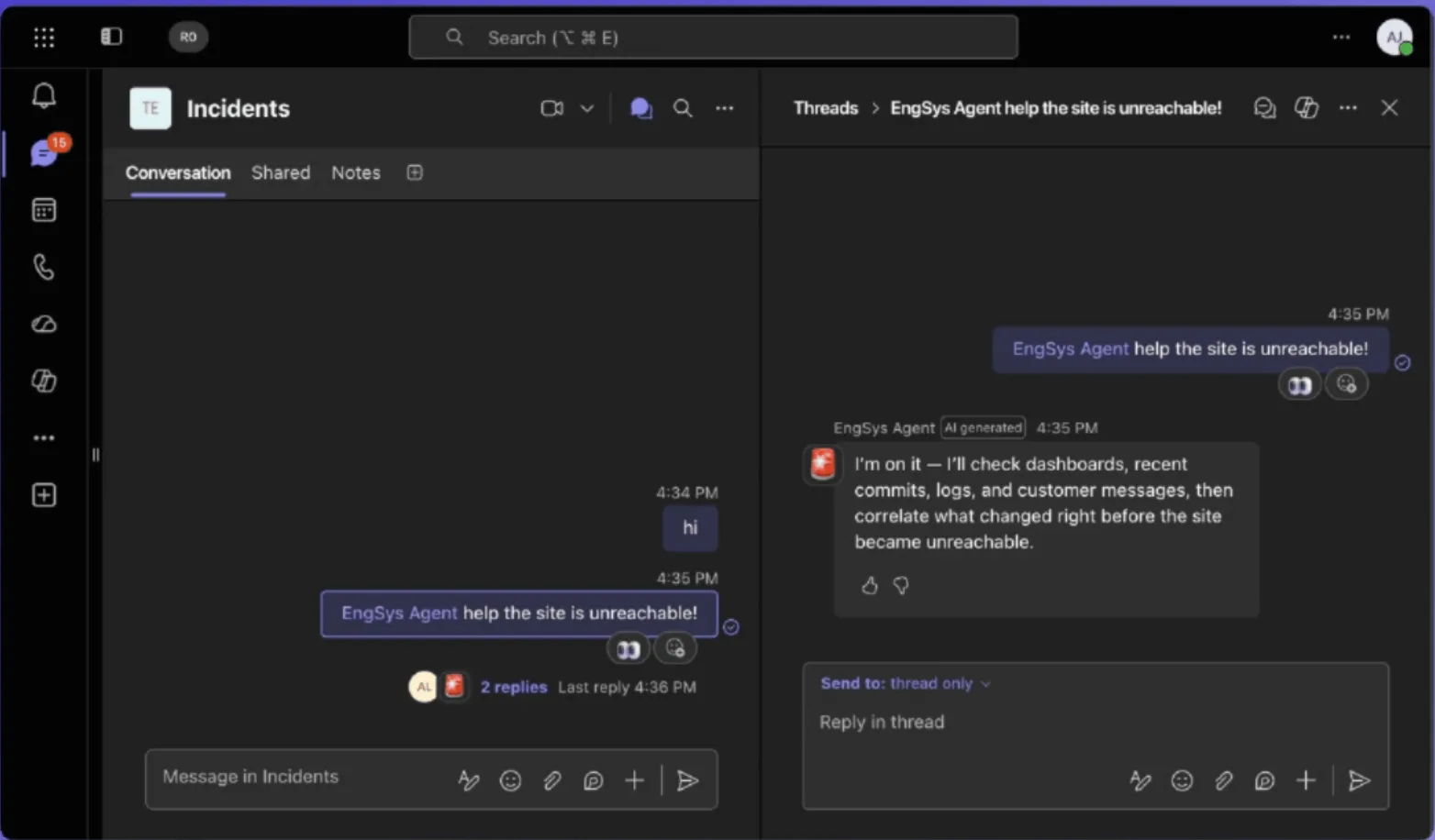
Microsoft outlines how developers can build AI agents for Teams to filter and prioritize collaboration notifications. The approach is intended to reduce notification noise and improve productivity when many messages are competing for attention.
In busy workspaces, managing notifications is not simply a matter of responding to every message. A reply that helps one person may interrupt five others, so an agent must account for how its participation affects the wider group.
One-to-one agent chats
One-to-one agent chats are private, direct interactions in which the rules are relatively simple. With only one person and an agent involved, each moment has a clear intent. The person can ask follow-up questions, pause the conversation, or restart it without considering how the exchange affects anyone else.
Group collaboration works differently because every message competes for attention. The behavior that is useful in a direct chat may create unnecessary noise when applied in a shared communication space.
Small social judgments
Effective collaboration depends on many small social judgments and gestures. These include deciding when to respond and when to remain quiet, choosing how much to say, and using the conventions and affordances of the setting appropriately.
People learn these behaviors through direct guidance, trial and error, and observation. Together, they help keep communication manageable in busy workspaces. As agents enter the same spaces, Microsoft says they need to adopt comparable behaviors rather than treating every possible interaction as a reason to send a message.
Filter and prioritize
The outlined method gives developers a way to build AI agents for Teams that automate the filtering and prioritization of notifications. The goal is to help the agent distinguish between communication that warrants attention and activity that would otherwise add to the flood of collaboration notifications.
By applying these group-oriented behaviors, an agent can manage notification noise while participating in shared workspaces.
ポコとTECHガイドPoko & TECH Guide
ポコと当サイトのTECHガイドが、記事の要約と収集した情報から読みどころを語るAI生成の対話です。Poko and TECH Dashboard's own TECH Guide discuss the article's highlights in an AI-generated conversation based on its summary and collected source details.
- ポコPokoTeamsの大量の通知をAIエージェントが整理するって、どんな仕組みなの?AI agents can sort out a flood of Teams notifications? How is that supposed to work?
- TECHガイドTECH Guideこの記事では、開発者が通知を選別し、優先順位を自動で付けるエージェントを構築する手法を紹介しておるよ。The article outlines how developers can build agents that automatically filter and prioritize Teams notifications.
- ポコPoko通知の交通整理役みたいなもの?忙しいチームほど、必要な連絡を追いやすくなるのかな。So it’s like a traffic controller for notifications? Could that help busy teams keep up with the messages that matter?
- TECHガイドTECH Guideそういうイメージじゃ。記事だと、通知のノイズを減らして生産性を高める狙いがあるとされておる。That’s the idea. The piece says the goal is to reduce notification noise and improve productivity.
- ポコPokoつまり、グループではAIも何でも通知せず、相手や場面を見て振る舞う必要があるんだね。Got it—inside a group, an AI shouldn’t flag everything. It needs to respond with the people and situation in mind.
- TECHガイドTECH Guideそこが大切じゃのう。本文では、返すか黙るか、どれだけ話すかといった人間同様の小さな判断をエージェントにも求めておる。Precisely. The article stresses that agents need the same small judgments people make—when to respond, when to stay quiet, and how much to say.