SlackとMicrosoft Teams向けGitHub CopilotのアップデートUpdates to GitHub Copilot for Slack and Microsoft Teams
匿名の公開いいねです。記事の保存・お気に入りではなく、Featured、Top 3、重要度、掲載順位には影響しません。仕組みとプライバシーAnonymous public likes are reactions, not saved articles or bookmarks. They do not affect Featured, Top 3, importance, or listing order.How it works and privacy
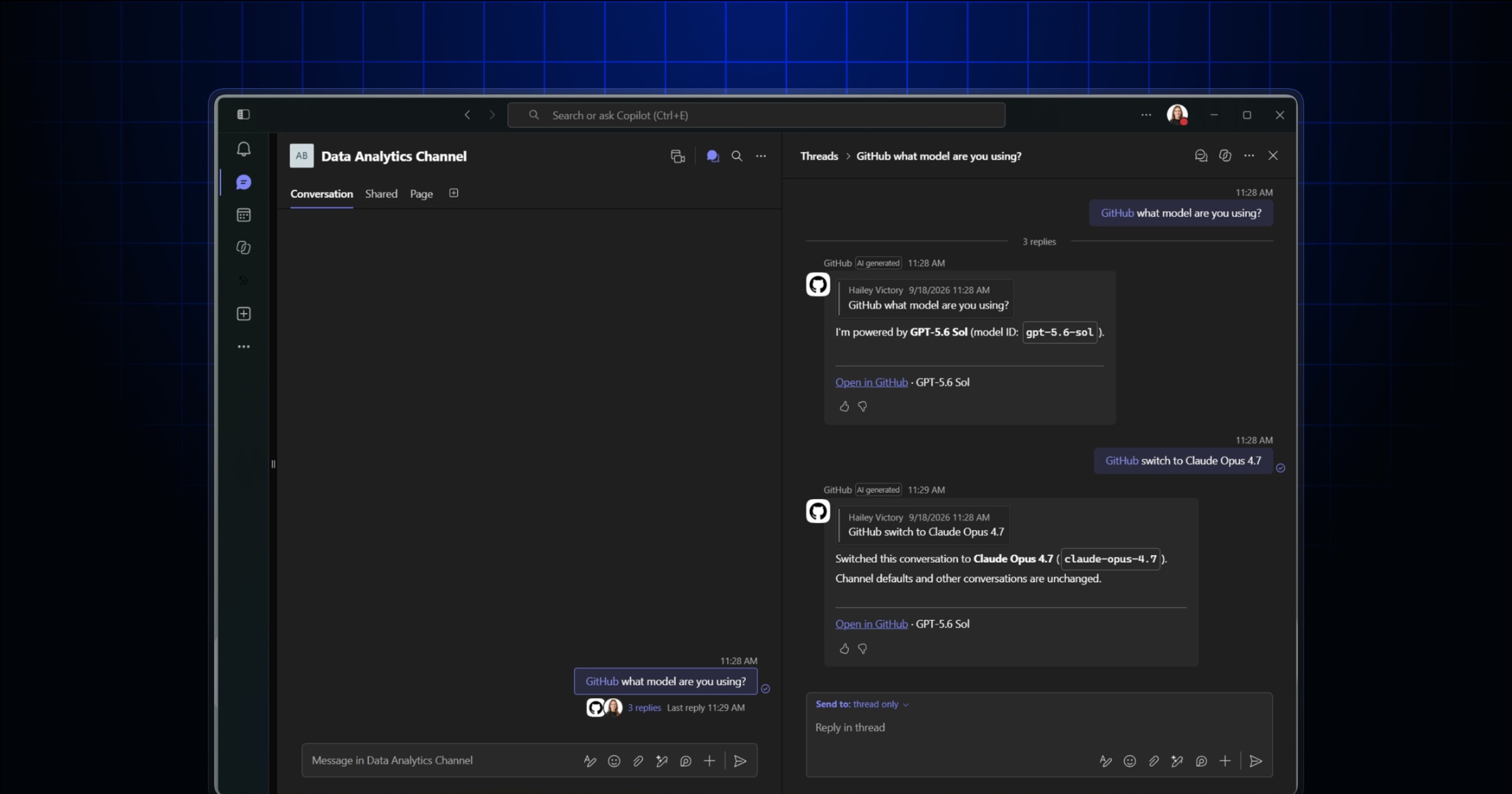
- GitHub CopilotのSlack版は対応ファイル、添付、メッセージリンクを参照でき、Teams版はインライン画像や転送メッセージ、チャネル履歴にも対応しました。
- 類似Issueの確認と元会話への関連付けにより、開発チームは判断の背景を追いやすくなります。
- GitHub Copilot now uses Slack files and message links, plus Teams images, forwarded messages, and thread history.
- Similar-issue checks and source links help teams create work with context.
本ページの本文と要約は AI による自動生成です。日本語版と英語版は言語ごとに独立して生成されるため、表現や詳しさが異なる場合があります。正確性は元記事 (github.blog) をご確認ください。The body and summaries are AI-generated independently for each language, so wording and detail may differ. Verify accuracy at the original source (github.blog).
要約と収集メタデータに基づく AI 解説。元記事全文の転載・翻訳ではありません。AI explainer based on the summaries and collected metadata, not a copy or translation of the full source article.
GitHub CopilotのSlack版とMicrosoft Teams版が更新され、会話内にある情報を、GitHub上の作業につなげる際の文脈としてより広く利用できるようになった。作成された作業と議論の出発点を結び付け、判断の背景を追いやすくする点も重要な変更となる。
Slackの文脈
Slackでは、対応するファイル、添付、メッセージリンクをCopilotの文脈として利用できる。会話で共有されたファイルだけでなく、添付された情報や、特定のメッセージを示すリンクも参照対象になるため、Copilotが会話内の情報をより多く扱えるようになった。
Teamsの履歴
Microsoft Teamsでは、インライン画像と転送メッセージの文脈に対応した。さらに、チャネル履歴とスレッド履歴も利用できる。現在のメッセージだけでなく、チャネルやスレッドに残されたやり取りを含めて、GitHub上の作業に必要な文脈として扱える。
類似Issueの確認
Copilotは新しいIssueを作成する前に、類似するIssueがないか確認する。新規作成を進める際に、すでに似たIssueが存在するかを確かめる処理が加わった形だ。また、作成されたGitHub上の作業には直接アクセスできるリンクが含まれ、会話から結果を確認しやすくなっている。
元会話へのリンク
作成された作業には、出発点となった会話へのリンクも保持される。GitHub上の作業から元の議論へ戻れるため、その作業や判断がどの会話を背景として生まれたのかを追跡しやすい。SlackやTeamsでの議論と、その結果として作成されたGitHub上の作業が相互に関連付けられる。
More context and control
GitHub Copilot in Slack and Microsoft Teams now provides more context, more control, and a clearer path from conversations to GitHub work. The changes matter because teams can preserve more of the discussion behind a decision when turning a conversation into work on GitHub.
Copilot can use additional context that is already present in Slack or Teams. It also connects resulting GitHub work back to the source discussion, making the reasoning and context behind a decision easier to trace.
Supported Slack files
In Slack, GitHub Copilot can use supported files, attachments, and message links as context. This allows information shared within a Slack conversation to contribute directly when Copilot creates GitHub work.
Message links can provide a connection to relevant parts of the discussion, while supported files and attachments give Copilot access to material shared alongside the conversation. The update is intended to create a more direct path between discussion in Slack and the work that follows on GitHub.
Images and forwarded messages
In Microsoft Teams, GitHub Copilot can work with inline images, forwarded-message context, and channel and thread history. These sources provide more of the context already available within a Teams conversation.
Forwarded messages can carry relevant context from another discussion, while channel and thread history can help retain the surrounding conversation. Inline images can also be included as context when moving from discussion to GitHub work.
Similar issues and source links
Before creating a new issue, GitHub Copilot checks for similar issues. This gives teams a way to identify related work before another issue is created.
Copilot also includes direct links to the resulting GitHub work and keeps a link back to the originating Slack or Teams conversation. Together, these links connect the created work with its source discussion, helping development teams more quickly see and follow the context behind a decision.
ポコとTECHガイドPoko & TECH Guide
ポコと当サイトのTECHガイドが、記事の要約と収集した情報から読みどころを語るAI生成の対話です。Poko and TECH Dashboard's own TECH Guide discuss the article's highlights in an AI-generated conversation based on its summary and collected source details.
- ポコPokoSlackやTeamsで開発の相談をしているとき、普段の仕事はどう変わるの?When developers are discussing work in Slack or Teams, what changes in their day-to-day workflow?
- TECHガイドTECH Guideこの記事では、会話中のファイルや画像、履歴を使ってGitHubの作業を作り、判断の背景までたどりやすくなるんじゃ。The article says Copilot can use files, images, and conversation history to create GitHub work while keeping the reasoning easier to trace.
- ポコPokoへえ、すごい! 前はファイルや会話の流れを使えなかったの?Wow, that sounds useful! Couldn’t it use files or the flow of the conversation before?
- TECHガイドTECH Guide以前の細かな対応範囲までは示されておらんよ。今回、Slackの添付やリンク、Teamsの画像や転送、履歴への対応が明記されたんじゃ。The previous limits aren’t spelled out. This update specifically adds Slack attachments and links, plus Teams images, forwarded messages, and conversation history.
- ポコPokoつまり、相談からIssueを作っても、元の会話や似たIssueを確認しやすいのが一番の収穫なんだね。So the big win is that when an issue comes from a chat, teams can more easily check the original discussion and similar issues.
- TECHガイドTECH Guideそうじゃな。本文で注目したいのは、新規Issueの前に類似Issueを確認し、作業結果と元会話をリンクで結ぶ点じゃよ。Exactly. The key detail highlighted here is that Copilot checks for similar issues first, then links the resulting work back to the original conversation.





